

The Definitive Guide to Creating Realistic Skin Texture in AI Art
The “wax figure” look is the hallmark of amateur AI generation. You write a complex prompt. You set your lighting. The portrait looks stunning at a glance. But zoom in, and the illusion shatters.
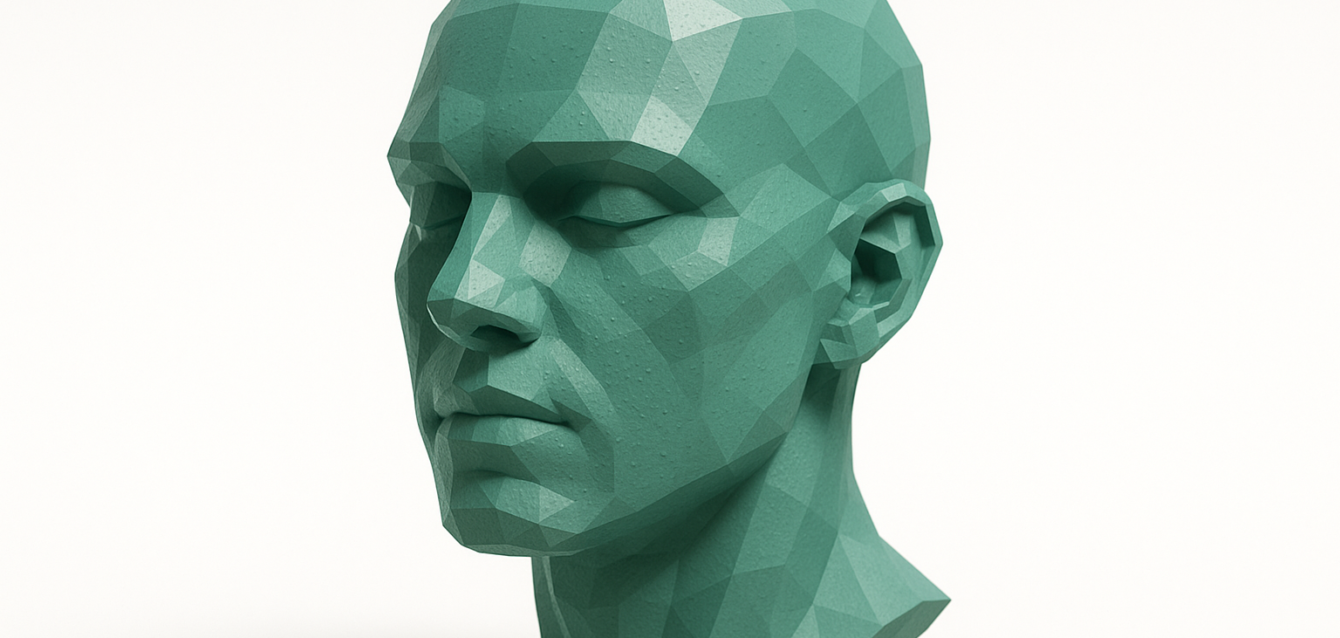
The skin is porcelain-smooth. The cheeks have a supernatural glow. The subject looks less like a human and more like a video game render. In the landscape of generative media, texture is the currency of realism.
For hobbyists, plastic skin is an annoyance. For businesses using AI for marketing or brand assets, it is a conversion killer. Audiences today are visually sophisticated. They spot synthetic imagery in milliseconds. The Uncanny Valley effect erodes trust. If your ad creative looks fake, your product promise feels fake.
This guide moves beyond basic prompting. We will dismantle why AI models default to smoothness. We will provide the exact workflows and tools to generate skin that breathes. This includes pores, subsurface scattering, and perfect imperfection.
The Physics of Digital Skin: Why AI Loves “Plastic”
To fix the problem, we must understand the cause. AI models like Stable Diffusion and Midjourney are diffusion models. They work by removing noise from a chaotic image to reveal a coherent picture.
The Denoising Trap
Mathematically, skin texture looks remarkably similar to noise. Pores, fine lines, and vellus hair resemble grain or artifacts. During training, models are punished for leaving noise in an image.
Consequently, they “clean up” necessary imperfections. The model views a pore as a mistake and smooths it out. We call this the denoising trap.
VAE Compression
The Variational Autoencoder (VAE) decodes the latent image into pixels. It often compresses high-frequency details. Subtle textures are the first casualty. This leads to that characteristic airbrushed aesthetic.
The Solution: We must force the model to recognize texture as a feature. We do this through high-frequency enforcement in prompting, directed injection with LoRAs, and post-generation refinement.
Phase 1: The Prompt Engineering Architecture
Before touching a slider, your text input must be calibrated. Vague prompts lead to average results. The “average” of internet photos is a flattering selfie. You need to prompt for the physics of light and skin.
1. The Vocabulary of Imperfection
Stop using generic terms like “realistic.” Be specific about what makes it realistic.
- Subsurface Scattering (SSS): This is the holy grail of lighting. Light penetrates the top layer of skin, scatters, and exits. This gives skin its fleshy, translucent look.
- High-Frequency Detail Keywords:
visible poresdermatological texturehyper-detailed epidermisuneven skin tonefine vellus hairslight blemishesunmakeup
2. Camera & Lighting Control
Flat lighting hides texture. Dramatic lighting reveals it.
- Side Lighting: Light hitting the face from the side creates micro-shadows in every pore. This proves the texture is 3D.
- Focal Length: Use
85mmor100mm macro. Wide-angle shots often cause the AI to deprioritize skin detail because the face takes up fewer pixels.
3. The Negative Prompt
This is vital. You must explicitly banish the digital art look.
Universal Negative Prompt for Realism:
(airbrushed:1.3), (smooth skin:1.2), plastic, wax, cartoon, adobe illustrator, 3d render, doll, blur, haze, low contrast, flat lighting, (makeup:0.8)
Phase 2: Mastering Stable Diffusion for Skin Texture
Stable Diffusion remains the king of realistic control. It allows you to manipulate the generation pipeline itself.
Selecting the Right Checkpoint
Not all models are equal. You need models fine-tuned on photography.
- Juggernaut XL: Excellent lighting and composition. generally good skin out of the box.
- RealVisXL: Specifically tuned for photorealism. It respects “pore” keywords better than base SDXL.
- Realistic Vision: The gold standard for SD 1.5 users.
The Power of LoRAs
If the base model is stubborn, use a LoRA. These are mini-models trained specifically on skin texture concepts.
- Polyhedron’s Skin Detail: A popular LoRA that injects noise patterns mimicking pores.
- Usage Tip: Aim for
0.4 - 0.6weight. Full strength can make skin look like sandpaper.
The “High-Res Fix” Workflow
Generating a face at low resolution creates smooth skin. There simply aren’t enough pixels to render a pore.
- Generate Small: Create your composition at base resolution.
- Hires. Fix: Enable this in Automatic1111 or ComfyUI.
- Denoising Strength: Set to
0.3 - 0.4. This adds just enough noise to generate new texture details during upscale.
Adetailer (After Detailer)
This extension automatically detects faces, crops them, upscales them, and re-generates them. It is non-negotiable for full-body shots where the face is small.
Automating the Asset Pipeline with Thinkpeak.ai
Generating one perfect portrait is art. Generating 5,000 brand-consistent images is engineering. This is where manual prompting fails.
Thinkpeak.ai acts as the bridge between creative intent and industrial scale. Through Bespoke Internal Tools, they architect “Creative Studio” applications for marketing teams.
Imagine a custom internal portal. Your manager inputs a campaign vibe. Behind the scenes, a Custom AI Agent orchestrates the workflow:
- Selects the correct checkpoint (e.g., RealVisXL).
- Injects Skin Detail LoRAs at precise weights.
- Executes High-Res Fix and Adetailer passes.
- Upscales the output to 4K.
The result is a folder of billboard-ready assets. For agencies, Thinkpeak’s Meta Creative Co-pilot reviews daily ad spend. It identifies if “glossy” styles cause fatigue and adjusts the generation pipeline to increase texture for better engagement.
Phase 3: Midjourney Strategies for Realism
Midjourney V6 has made massive leaps in texture rendering, even with less under-the-hood control.
The –style raw Parameter
Midjourney applies a “beautification” filter by default. Always append --style raw to your prompt. This prioritizes your literal instructions over the model’s aesthetic bias.
The “Ugly” Strategy
Asking for “beauty” ruins realism. Beauty filters blur skin.
- Try prompts like:
unretouched photo,harsh flash photography,amateur photography,shot on iPhone. - These terms trigger training data associated with raw, unprocessed images.
Image Prompting for Texture Transfer
If you have a photo with the exact skin texture you want, use it. Set the image weight (--iw 1.5) to force the model to pull texture information from the source.
Phase 4: Post-Processing & The Hybrid Workflow
The “Hybrid Workflow” combines AI generation with traditional editing.
Frequency Separation
This Photoshop technique saves AI art. You split the image into two layers: color (Low Frequency) and detail (High Frequency).
You can overlay real skin texture onto the High Frequency layer. You keep the perfect AI facial structure but replace plastic pixels with organic photographic grain.
AI Upscalers with Hallucination
Tools like Magnific AI or Topaz Photo AI are hallucination engines. When fed a low-res face, they invent pores. Keep the creativity slider low (20-30%) to avoid aging your subject.
Scaling Realism for Cold Outreach
Why does skin texture matter in B2B? Because “fake” implies “spam.”
If you use AI avatars for video prospecting, validity is everything. A prospect deletes emails from shiny, unblinking avatars immediately. This is where Thinkpeak.ai excels in Growth & Cold Outreach tools.
Imagine a Cold Outreach Hyper-Personalizer. Instead of a stock photo, you send a prospect a hyper-realistic image of a coffee cup with their name on it. The lighting is dusty and organic. Crucially, the hand holding the cup has fingerprints and wrinkles.
Thinkpeak’s expertise in Custom Low-Code App Development allows you to build these tools into your CRM. This increases reply rates significantly.
Advanced Technical Nuances: Noise Schedules and Samplers
For developers, the choice of Sampler affects skin grain.
- Euler a: Creates a soft, dreamy look. Often too soft for grit.
- DPM++ 2M Karras: The industry standard for sharpness. Can be too clean.
- DPM++ SDE Karras: The best sampler for skin texture. It is stochastic, adding random noise at every step. This forces the model to resolve noise into fine detail.
Step Count: The sweet spot is usually 30-40 steps. This balances structure and surface detail without over-baking the image.
Conclusion
Creating realistic skin texture is a symphony of physics-based prompting, model selection, and post-processing. It requires unlearning the desire for perfection. You must embrace the chaos of organic reality.
For businesses, mastering this realism is a competitive necessity. Thinkpeak.ai transforms manual techniques into automated ecosystems. Whether you need a template to batch-upscale assets or a bespoke AI agent, we provide the infrastructure to scale.
Don’t let your brand get stuck in the Uncanny Valley. Visit Thinkpeak.ai today to bring hyper-realism to your business operations.
Resources
- https://github.com/AUTOMATIC1111/stable-diffusion-webui
- https://github.com/comfyanonymous/ComfyUI
- https://civitai.com/models/18303/polyhedron-s-skin-detail-lora
- https://civitai.com/models/22531/realvis-xl
- https://www.thinkpeak.ai
Frequently Asked Questions (FAQ)
Why do my AI portraits always look like plastic dolls?
This is usually due to the model’s denoising process. It interprets fine skin texture as unwanted grain and smooths it out. Use high-frequency keywords like “visible pores,” utilize negative prompts to banish “smooth skin,” and use a High-Res Fix workflow.
What is the best Stable Diffusion model for realistic skin?
Juggernaut XL and RealVisXL are top-tier choices. They are fine-tuned on real photography. For older SD 1.5 workflows, Realistic Vision v6 remains the industry standard.
Can I fix plastic skin on an image I already generated?
Yes. You can use Inpainting. Mask the face in your software and re-generate that area with a high Denoising Strength (0.4–0.5). Alternatively, AI upscalers like Magnific AI can hallucinate new skin details onto a low-res image.


