

While Json2Video is a solid tool, many users seek other solutions for a few key reasons. Understanding these challenges helps you choose the right alternative for your needs.
- Prohibitive and Unpredictable Pricing: Cost is often the main driver. Json2Video uses a credit-based system where one credit equals one second of video. This can get expensive quickly with high-volume or long-form video production, creating budget uncertainty and making it hard to forecast costs.
- Steep Learning Curve for Non-Developers: The platform is fundamentally developer-centric, requiring knowledge of JSON to build videos. This excludes non-technical teams like marketing and design, creating bottlenecks when changes are needed.
- Feature and Customization Limitations: Json2Video is great for template-based videos, but it can be restrictive for users who need advanced creative control. If you’re looking for complex animations or generative AI integrations, you might find it lacking.
- The Need for an Integrated Ecosystem: Modern automation requires end-to-end workflows. Businesses need tools that connect easily with their entire tech stack, including CRMs and content systems, often through no-code platforms like Zapier or Make.com. Other alternatives offer better and more user-friendly integrations.
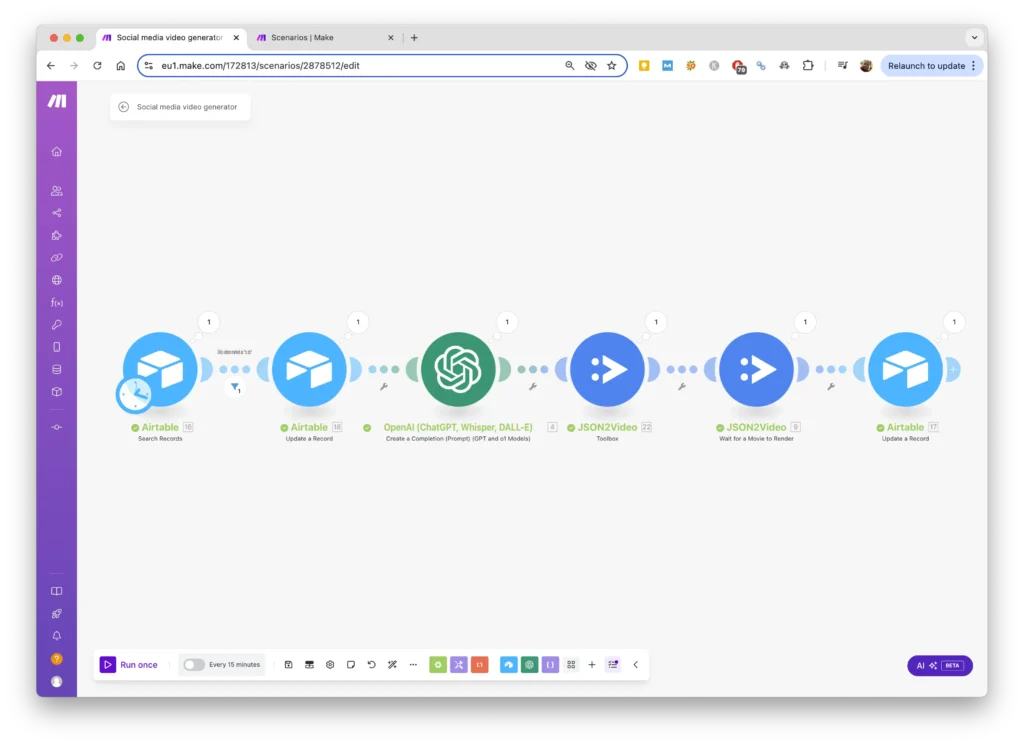
Category 1: Direct API-First Competitors (For Developers)
For development teams seeking a direct and more affordable replacement for the Json2Video API, these alternatives offer powerful features and competitive pricing.
1. Shotstack: The Composable Video Editing API
Shotstack isn’t just a video generator; it’s a complete video editing automation platform. It uses a JSON editing structure, making it an easy switch for Json2Video users. Its real strength lies in its flexibility and its “bring-your-own-assets” approach.
You can use Shotstack to programmatically pull assets from different sources—like an AI avatar from Synthesia or a background from Runway—and combine them into a final video. This allows you to build a powerful, automated video assembly line.
Key Features:
- JSON-based programmatic editing for detailed control.
- Strong tools for compositing, trimming, and stitching video clips.
- Template management and a well-documented API for high-volume creation.
- Perfect for building custom video pipelines with multiple media sources.
Pricing Model:
Shotstack offers a free tier for development. Paid subscription plans provide a set number of rendering minutes per month, offering more predictable costs than a credit-based system.
2. Creatomate: The Value and Speed Champion
Creatomate is one of the strongest and most cost-effective direct alternatives to Json2Video. It provides a powerful REST API for generating video and images through code or no-code workflows. The platform is built for speed, with most videos rendering in under 15 seconds, making it ideal for real-time applications.
Financially, Creatomate delivers incredible value. At higher volumes, its pricing can be up to 40% more cost-effective than Json2Video. It also includes an intuitive online video editor, so your team can design templates visually before automating them with the API.
Key Features:
- High-speed rendering for real-time video generation.
- Highly competitive pricing that offers better value at scale.
- Two API types: a standard REST API and a “Direct API” for simple URL-based generation.
- Easy integrations with Zapier, Make.com, and other no-code platforms.
Pricing Model:
Creatomate uses a subscription-based model with generous free and paid tiers. Each plan includes a specific number of video credits per month, making your costs predictable and easy to scale.

Contact us Now ⬇️⬇️⬇️
Category 2: The Open-Source Powerhouses (The Truly Free Alternatives)
For organizations with technical resources, open-source software provides ultimate control and cost savings. These tools are free to use, meaning you invest in development time instead of licensing fees.
3. FFmpeg: The Bedrock of Video Processing
FFmpeg is more than an alternative; it’s the engine behind countless video applications. It is a completely free and open-source command-line tool that can handle nearly any task related to video and audio.
For developers, FFmpeg offers unparalleled power to convert, edit, and process video files programmatically. By pairing it with a scripting language like Python, you can build incredibly powerful and fully customized video workflows for free.
Key Features:
- Total control over video encoding, decoding, and filtering.
- Ability to perform batch processing on thousands of files.
- Infinite flexibility to build custom video automation scripts.
- A massive, active community for support and documentation.
Pricing Model:
It’s 100% free and open-source. Your only costs are the infrastructure to run it and the developer time to implement and maintain it.
4. OpenShot: User-Friendly Open-Source Editing
If FFmpeg’s command line feels too complex, OpenShot Video Editor is a great middle ground. It’s a powerful, free and open-source video editor with a user-friendly graphical interface (GUI).
While known as a traditional editor, its robust features make it a viable free alternative for teams needing creative control without API complexity. It’s an excellent choice for creating video templates for semi-automated workflows.
Key Features:
- A familiar, multi-track timeline for editing video, audio, and images.
- An extensive library of built-in effects and 3D animated titles.
- A powerful keyframe animation framework for precise control.
- Chroma key (green screen) functionality for professional videos.
Pricing Model:
100% free and open-source.
Ready to Build a Smarter Video Workflow?
Finding a cheaper tool is a good start, but real efficiency comes from automating your entire process. At Thinkpeak.ai, we build custom AI automation and integration solutions. We can connect powerful tools like Creatomate or FFmpeg to your CRM, marketing platforms, and data sources to create a seamless, end-to-end content creation engine.
Explore Our Custom Automation Services and Build Your Video Engine Today!
Category 3: No-Code & Low-Code Platforms (For Marketers and Business Users)
This category is for teams who want to automate video creation without writing any code. These platforms use visual editors and integrate with other apps, empowering everyone to build powerful video workflows.
5. Plainly: After Effects Power, No-Code Simplicity
Plainly connects high-end professional design with no-code automation. It lets you create templates in Adobe After Effects—the industry standard for motion graphics—and then automate rendering through their API or no-code integrations.
This gives you the creative quality of a motion design expert with the scalability of an API. It’s perfect for producing high-quality, branded video content at scale, especially for data-driven video personalization in e-commerce or real estate.
Key Features:
- Uses Adobe After Effects templates for professional-grade video.
- Strong no-code integrations with Zapier, Make.com, and others.
- Ideal for personalizing videos with data from spreadsheets or CRMs.
- Full feature parity between its web app and API.
Pricing Model:
Subscription-based, with tiers based on the number of video minutes rendered per month.
6. InVideo: AI-Powered Creation for Social Media
InVideo is a video creation platform designed for speed and ease of use, especially for social media content. Its strength as an automation alternative comes from its AI-powered features, which can turn blog posts or scripts into engaging videos in minutes.
With a huge library of templates, stock footage, and music, it’s a one-stop shop for quick video creation. Its AI-powered text-to-video generator is a standout feature for content marketers.
Key Features:
- AI-powered text-to-video generator.
- A vast library of over 5,000 customizable templates.
- Create videos in any aspect ratio for different social platforms.
- An intuitive interface that’s great for beginners.
Pricing Model:
InVideo offers a limited free plan and affordable monthly or annual subscriptions for more exports and premium features.
7. Wideo: Animated Videos and Presentations Made Easy
Wideo specializes in creating animated videos, explainer videos, and presentations. Its template-based online editor is incredibly simple, allowing teams to produce professional-looking animated content without design skills.
If your video needs are focused on marketing explainers, internal training, or educational content, Wideo is a cost-effective and accessible alternative.
Key Features:
- Focuses on animated video with a rich library of objects and templates.
- Ability to create and share videos quickly.
- A cost-effective solution for producing animated marketing content.
- Simple drag-and-drop interface.
Pricing Model:
Offers various subscription tiers, including a basic free plan, making it accessible for small businesses and startups.
Conclusion: Choosing the Right Tool for Your Automated Workflow
The search for cheaper Json2Video alternatives is about more than just finding a new tool—it’s about a workflow transformation. The 2025 landscape offers a rich ecosystem of affordable, flexible, and user-friendly solutions for every need.
For developers, APIs like Creatomate and Shotstack offer superior value and performance. For ultimate control, FFmpeg remains the king of free video processing.
For marketers and business users, platforms like Plainly, InVideo, and Wideo make video automation accessible to everyone through powerful no-code workflows.
The best choice depends on your team’s skills and your project’s goals. But you don’t have to figure it out alone. At Thinkpeak.ai, we turn your manual tasks into automated workflows. Whether you need to automate social media content or develop a custom AI agent for personalized sales videos, our team can design the perfect solution. Stop just creating content—start building your content engine.
Contact Thinkpeak.ai for a Free Automation Consultation Today!
Frequently Asked Questions (FAQ)
What is the best free alternative to Json2Video?
The best free alternative depends on your technical skill. For developers, FFmpeg is the most powerful and flexible option, offering total control through a command-line interface. For users who prefer a graphical interface, OpenShot is an excellent free and open-source video editor with a rich feature set.
How does Creatomate pricing compare to Json2Video?
Creatomate generally offers significantly better value. Its pricing tiers are highly competitive and can be up to 40% more cost-effective at scale. This makes it a financially smart choice for businesses with growing video production needs.
Can I automate video creation without knowing how to code?
Absolutely. Platforms like Plainly, InVideo, and Wideo are designed for non-coders. They integrate with no-code automation tools like Zapier and Make.com, allowing you to create powerful workflows. For example, a new row in a Google Sheet can automatically trigger the creation of a personalized video, all without writing a single line of code.


